Headscale Multi-Tenant Transformation: Full Isolation of ACL, Routes, DNS, and More
I previously wrote an article on headscale unlimited scaling, covering how to transform headscale into a clustered deployment with near-unlimited device capacity.
The core idea is to assign each headscale instance a
client_id, and have all instances share a single database or database cluster.
Headscale Series: Building a Headscale Cluster for Near-Unlimited Device Capacity
Today I’d like to share how to transform a single-instance headscale into a multi-tenant deployment (this post focuses mainly on showcasing results rather than deep technical explanation).
Multi-Tenant Transformation
Headscale was originally designed as a single-instance, single-tailnet system. To support multiple tailnets within a single instance, the key is to isolate each tenant’s ACL, tailnet, routes, DNS, and more.
tailnet
Each tenant has its own independent tailnet. The default address pool is 10.64.0.0/10, but it can be customized — for example, changed to 192.168.6.0/24 — depending on your requirements.
A
defaulttenant is reserved in the system. Users who do not need multi-tenancy can keep using headscale as before — all users will be automatically assigned to thedefaulttenant.
ACL
Each tenant has a fully independent ACL with access to the complete set of ACL features.
Routes
Each tenant’s routes are also independent and can be configured separately.
MagicDNS
Host FQDNs follow the format hostname.<tenant_key>.<dns.base_domain>, where dns.base_domain is shared across all tenants.
The default tenant uses the default subdomain.
CLI
The command-line tools have been updated to support tenant functionality. Use -t to specify a tenant.
Relay Servers
Each tenant can use the shared relay servers, or configure its own dedicated relay servers for complete isolation from other tenants.
Screenshots
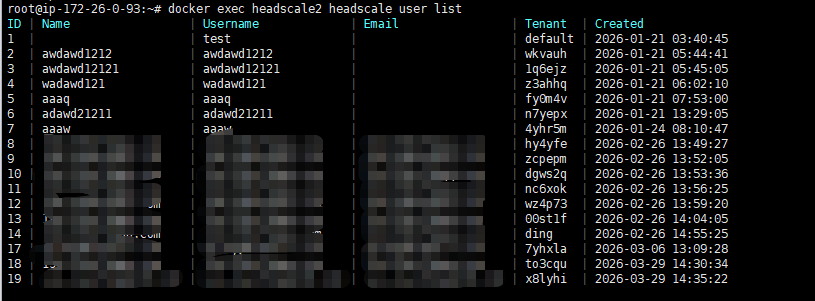
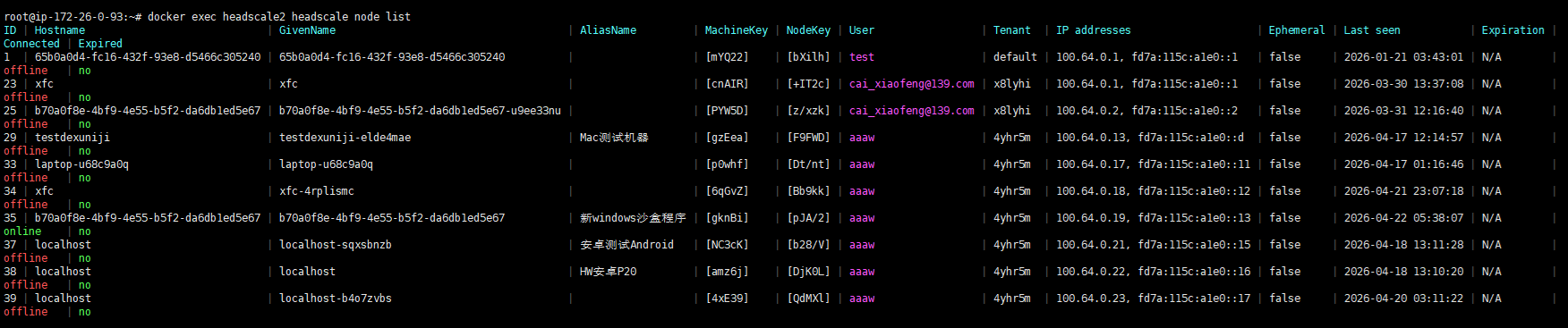
A tenant field has been added to the system to distinguish between tenants.